Role:
UX/UI Designer
Timeline:
6 months
Platform:
Web-based Internal CMS
Deliverables:
UX strategy, research, IA, wireframes, UI design, prototyping, usability validation
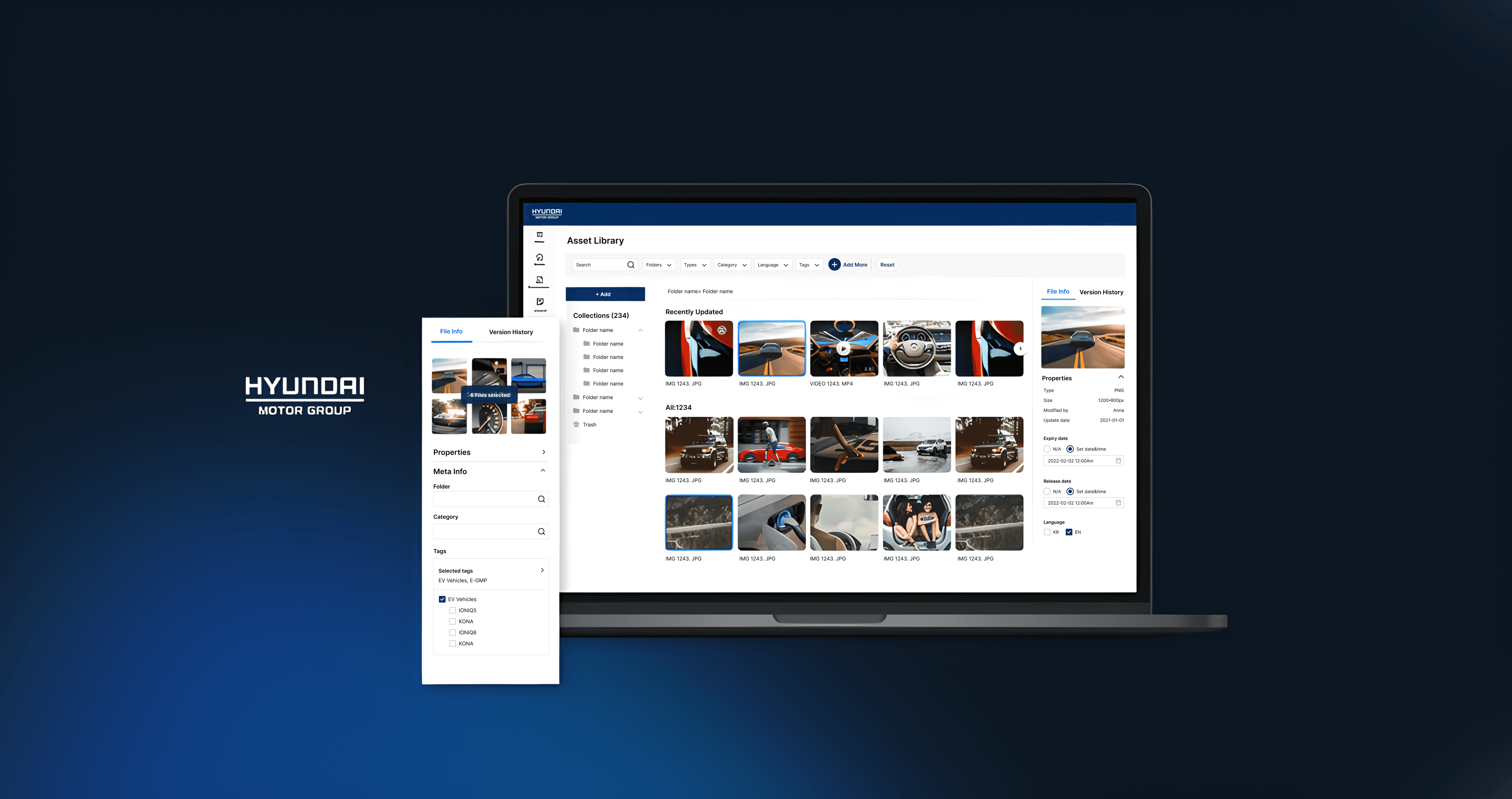
Hyundai Motor Group CMS: Designing a Scalable Digital Asset Management System
Hyundai Motor Group manages a large volume of digital assets—images, videos, and campaign materials—used across global and local brand channels. As content production increased, internal teams struggled to efficiently find, reuse, and govern assets using the existing CMS.
The goal of this project was to design a scalable Digital Asset Management (DAM) system that improved asset discovery, reduced operational friction, and supported long-term governance across teams and regions.
Problem
Content writers and marketing teams relied on fragmented workflows to manage digital assets. Inconsistent tagging, limited search reliability, and manual coordination between teams led to duplicated work, slower content updates, and reduced trust in the system.
The CMS functioned as a storage tool—but not as a system teams could confidently rely on at scale.
Key Challenges
Inconsistent and duplicated tags reduced search accuracy
Asset discovery was slow and unreliable
Manual approval and coordination increased operational overhead
Global and local teams shared assets but followed different conventions
Research & User Understanding
To understand real workflows and constraints, I conducted interviews with:
Content writers (Primary users)
Content managers
Marketing stakeholders
I also reviewed existing asset usage patterns and internal documentation to identify gaps between intended and actual system use.
Key Insights
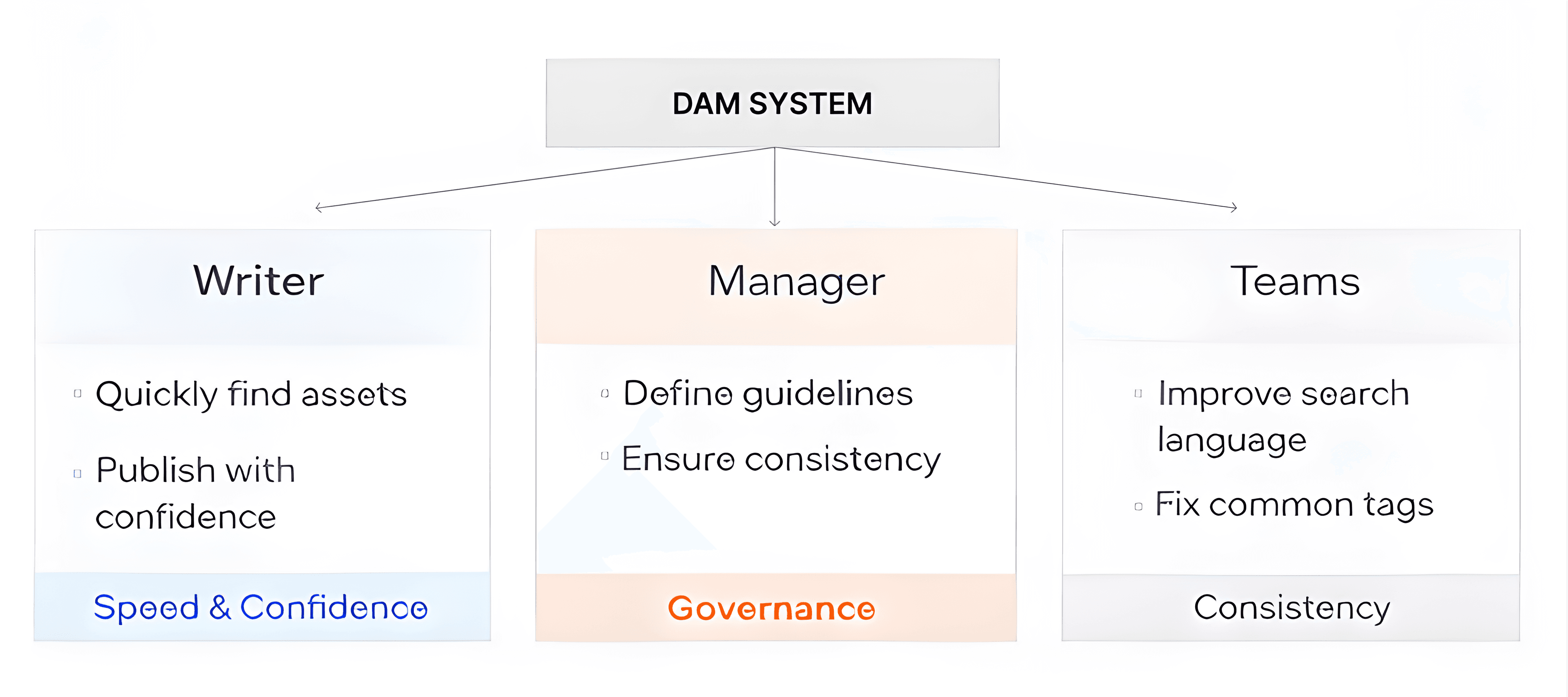
Writers prioritized speed and confidence when selecting assets.
Managers needed governance and consistency, not micromanagement.
Teams used different terms for the same asset types, breaking search reliability.
Manual review was correcting predictable problems the system could handle.
Reframing the Problem
Rather than treating tagging as a UI feature, I reframed it as a system design challenge.
The key question became:
How might we enable fast, confident tagging at scale while maintaining governance and consistency across teams?
The answer wasn’t stricter control—it was smarter system guidance.
Initial Approach: Human-Led Governance
The early concept allowed authorized users to create tags, with content managers reviewing and approving new tags to maintain consistency.
While this provided control, it introduced friction:
Content managers became bottlenecks
Review work scaled linearly with asset volume
Most issues were repetitive and predictable
This approach did not scale.
Reframed Approach: Designing for Scale and Consistency
I redesigned the tagging system as a self-correcting, system-led model, where quality is enforced at the moment of creation—not after.
Controlled Tags (Structured Foundation)
Who creates them: Content managers / authorized admins
Examples: Product lines, campaigns, regions, asset type
UX behavior:
Predefined and required fields
Users select values instead of creating new ones
This ensured a consistent metadata foundation without approval overhead.
Assisted / Suggested Tags (Intelligent Guidance)
When users add tags, the system provides real-time suggestions based on:
File name and folder context
Historical tagging patterns
Frequently paired tags
Image recognition signals
Users choose from suggestions, allowing the system to improve quality organically over time.
Freeform Tags with Guardrails (Flexibility without Chaos)
Users can still create new tags when needed, but with smart constraints:
Duplicate detection and near-match warnings
Automatic synonym mapping (e.g. photo → image)
New tags default to private or team-level visibility
This preserves flexibility while preventing global tag pollution.
System-Led Governance (Minimal Human Involvement)
Instead of manual approval, the system automatically handles normalization, relevance scoring, and deprecation, while keeping a clear version history of all changes.
Content managers are involved only when human judgment is required, such as:
Compliance or licensing impact
Brand taxonomy changes
Cross-regional standardization
Their role shifts from approving tags to defining rules and resolving true exceptions.
Information Architecture & User Journey
I redesigned the CMS information architecture to align with real workflows:
Asset upload
Metadata and tagging
Discovery and reuse
Post-publishing updates
This reduced unnecessary steps and improved clarity across the asset lifecycle.
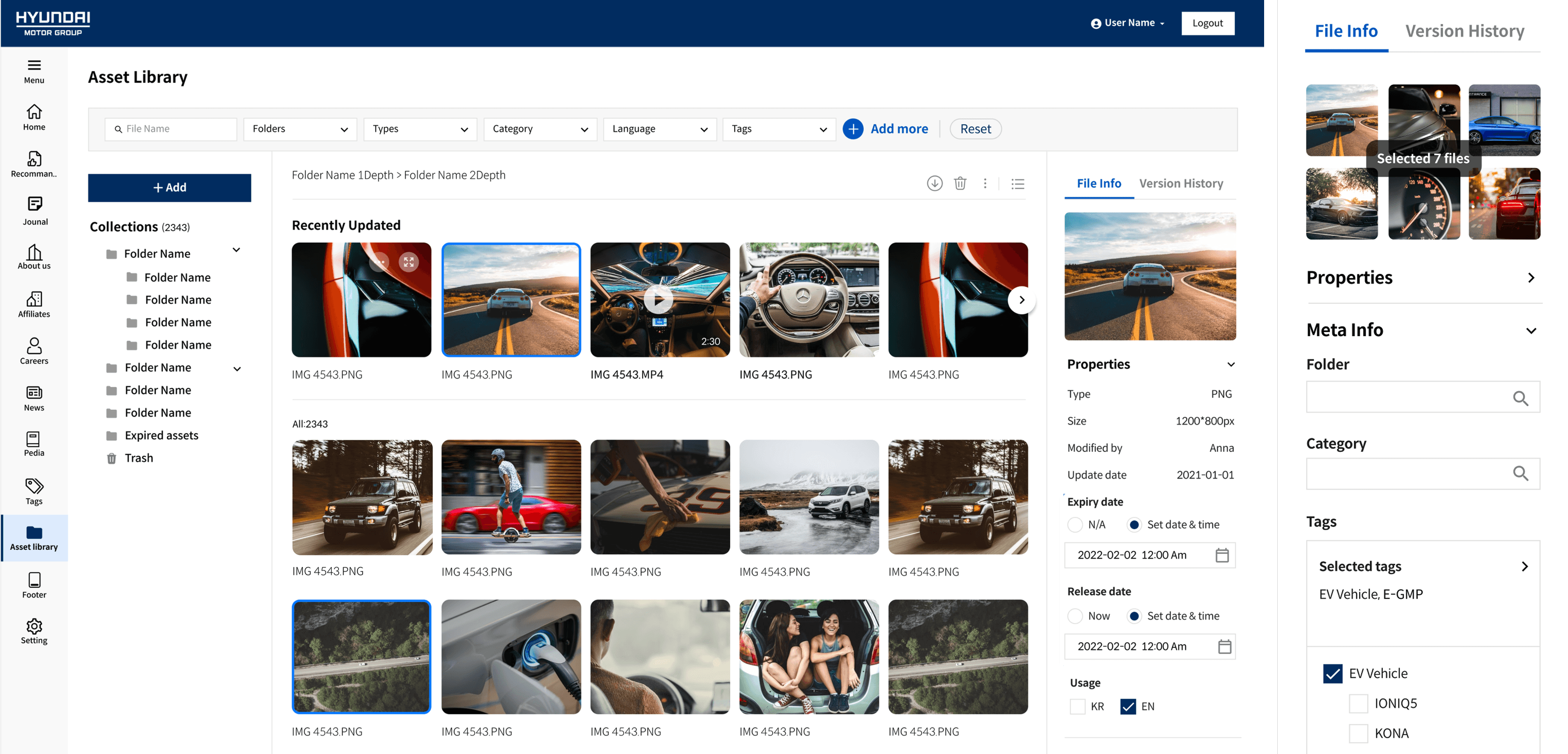
Final Experience
The final DAM system enables teams to:
Find assets quickly and confidently
Understand usage rules at a glance
Reuse content without external coordination
Maintain consistency across markets and teams
Impact
Improved asset discoverability and reuse
Reduced manual review and coordination overhead
Increased trust in asset accuracy and compliance
Created a scalable foundation for future content growth
Reflection
This project reinforced that internal UX is about designing systems that guide good behavior naturally. By shifting governance from manual review to system intelligence, the DAM supported both speed and scale—without burdening users or managers.